Card alerts
1. Many companies that enable autopay (i.e., recurring automatic payments) run their transactions in the middle of the night. You can set up a Quiet Period to receive your card alerts at a more convenient time.
Another Chance Alerts
1. To register for Another Chance Alerts, you must be enrolled in Overdraft Transfer Service.
2. Funds must be deposited to the Checking account indicated in the alert. Funds deposited to a protecting account are not available to cover Another Chance items.
3. Funds subject to a hold are not immediately available to cover Another Chance items. See our Account Disclosures for more information about our funds availability policy.
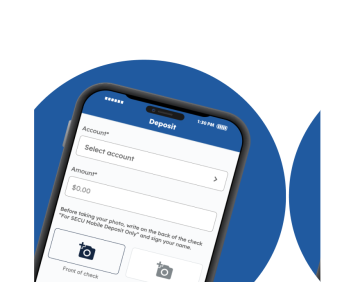
4. Funds from checks deposited through an ATM or our Mobile App are not available to cover Another Chance items.
Terms and conditions for use of this service
- Replying STOP via text message will stop alerts from being delivered but not unenroll your alerts
- Message and data fees may be imposed by your service provider/carrier
- Participating carriers include, but are not limited to: AT&T, Boost, Sprint, T-Mobile, U.S. Cellular, Verizon Wireless, and Virgin Mobile
Alerts sent may not be delivered if your phone is not in range of a transmission site, or if sufficient network capacity is not available at a particular time. Even within a coverage area, factors beyond the control of the Credit Union and/or your wireless carrier may interfere with message delivery, including your mobile device equipment, terrain, proximity to buildings, foliage, and weather. While we will make efforts to initiate all alerts in a timely manner, we cannot control all external factors necessary for you to receive the alerts and as such you should not rely solely on alerts to monitor the status of your accounts. The Credit Union cannot assume liability for any negative consequences if you do not receive alerts, including Another Chance Alerts. By registering for alerts, you acknowledge that neither the Credit Union nor your wireless carrier guarantee alert delivery.
Alerts pertaining to the BillPay Service are managed within the BillPay Service itself and may be subject to additional terms described within the BillPay Service. Alerts from the BillPay Service are sent by email from billpay@customercenter.net.